


Regular price
$16.82 USD
Regular price
$22.43 USD
Sale price
$16.82 USD
Unit price
per
You save $5.61 USD (25%)
In stock — Ships within 1–2 business days
Format
Print Book
Currently viewing
Paperback
$16.82 USD
$22.43 USD
Secure CheckoutYour data is protected
Fast U.S. ShippingShips within 1–2 business days
Authentic Titles100% Genuine Books


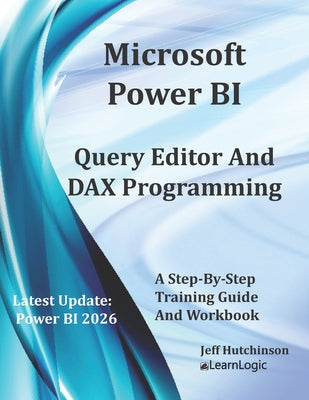
Book Overview In this workbook/guide, we will cover many behind-the-scenes capabilities of Power BI. We will use the Power BI Desktop tool to get data,...
In this workbook/guide, we will cover many behind-the-scenes capabilities of Power BI. We will use the Power BI Desktop tool to get data, the Power Query Editor to filter the data source, and use the DAX programming language to adjust the results.
******** Obtain Your PDF Copy and Recorded Videos ********
This workbook includes PDF Download and Video Clip of each practice exercise. Refer to the Workbook Introduction for instructions on where to send an Amazon receipt. To see an example clip: www.elearnlogic.com
******** Obtain Your PDF Copy and Recorded Videos ********
This workbook includes PDF Download and Video Clip of each practice exercise. Refer to the Workbook Introduction for instructions on where to send an Amazon receipt. To see an example clip: www.elearnlogic.com
Get Data - The first step is to use the Get Data command in order to extract records from many different data sources such as Excel, Access, SQL, etc. Once you GetData, you will then choose a specifically desired table or sheet. Then, you can Load all data or Transform data to clean up any undesired records.
Query Editor - Databases are becoming very large and now contain more records than what is necessary to build Reports. When you choose to Transform, it will open the Query Editor interface which is used to filter records, correct many database glitches, clean up data, fix anomalies, and transform, or shape data source information. It can also be used to fix misspellings, clarify labels or columns containing wrong data types, automatically merge two data sources into a single table, adjust columns(fields), adjust rows (records), split columns, combine columns, replace information, transpose an entire table, and sort columns.
DAX Programming - In these chapters, you will learn the DAX (Dynamic Analysis Expressions) program language for business intelligence data modeling and analysis techniques. It will explain how to change the behavior of records and Reports based on the DAX function and allow you to create new columns that are not already contained in a database. DAX contains most of the Excel functions, but it also has a built-in record-filtering capability to pull data based on specific criteria. Also, if a user applies a filter in Power BI, it might skew the results. However, DAX will allow you to extract records and ignore any locally applied filter. The workbook explains DAX formula terms, basic structure, and common development techniques. Also included, is how to create New Columns in a table, custom calculations known as Measures, as well as how to create New Tables.
Chapter Concepts Covered:
Chapter 1 - Get Data
This will extract a data source from a database such as Excel, Access, etc, The sections covered include Power BI Interface, Field List More Options, Report View / Home Ribbon Tab, Report View / Insert Ribbon Tab, Report View / Modeling Ribbon Tab, and Connection Techniques.
Chapter 2 - Query Editor
This will allow us to review extracted data and filter or remove specific records prior to saving them to the Power BI file. The sections covered include Query Editor Interface, Query Editor / Home Ribbon Tab, Query Editor / Transform Ribbon Tab, Query Editor / Add Column Ribbon Tab, and Query Editor/View Ribbon Tab.
Chapter 3 - DAX Formula Overview
This chapter will provide an overview of the most important DAX formulas, functions, and capabilities. First, we will review common settings to better create formulas; then, we will review New Column, New Measure, New Table, and Quick Measure.
Chapter 4 - DAX Reference Guide
In this chapter, we will document many common functions and provide practice exercises to demonstrate DAX capabilities. The sections covered include Math And Statistical Functions, Formatting Functions, Specialized DAX Functions, and Date And Time DAX Functions.
Book Details Format: Paperback | Publisher: INDEPENDENTLY PUBLISHED | ISBN: 9798396474
FormatPaperback
ISBN9798396474
EAN9798396474017
PublisherINDEPENDENTLY PUBLISHED
Publication Date2023-05-29
AccessoriesNo Accessory
ConditionNew
Product TypeQUALITY PAPERBACK BOOKS
Weight1.01 Pounds
Length11.0 Inches
Width8.5 Inches
Height0.41 Inches
Shipping & Returns Fast, reliable shipping and easy returns on eligible items.
Most orders ship within 1–2 business days with fast, reliable U.S. delivery.
Eligible items can be returned within 30 days in line with our store return policy.
Why shop with AlbakiReads
Fresh Inventory from Major Publishers
Sourced through trusted book distributors, with fresh titles added regularly.
Secure Checkout
Your payment information is encrypted and protected every step of the way.
Fast U.S. Shipping
Most orders ship within 1–2 business days.
Books for Every Kind of Reader
From page-turners to timeless classics—find your next favorite read.


